
When it comes to embedded development, every minute saved matters. MIKROE has long been known for pushing efficiency with its dev boards, compilers, and the now-famous Click boards™, but with the release of NECTO Studio 7.3, the company is taking a big swing at the future of IDEs. The latest version doesn’t just add features—it introduces an entirely new way to think about multi-core programming and productivity in embedded systems.
At the heart of this update is dual-core MCU support, a long-requested feature that finally gives developers the ability to program and debug each core independently. What’s more impressive? While you’re managing each side of the chip separately, NECTO Studio merges the firmware in the background and flashes it simultaneously. The result: smoother workflows, less hassle, and the freedom to run tasks in parallel for better performance and efficiency.
As MIKROE’s CEO Nebojsa Matic put it:
“Our goal is to deliver the world’s first multi-architecture, multi-language IDE with the best user experience. We are excited to add dual-core support and provide easy, integrated access to AI tools from within NECTO Studio IDE.”
That word “integrated” matters here. Too often, embedded developers are juggling half a dozen tools, each with its own quirks and compatibility issues. With this release, NECTO isn’t just positioning itself as another IDE—it’s aiming to be the central hub for modern embedded design.
Why Dual-Core Support Matters
For developers working on real-time control, complex user interfaces, or AI-driven edge devices, single-core systems have always been limiting. With dual-core debugging in NECTO Studio 7.3, you get:
-
Per-core controls (Start, Stop, Pause, Step Over, Step In, Step Out)
-
Core-specific disassembly views
-
Run-to-breakpoints for each core
-
Automatic HEX merging during simultaneous flashing
-
A project explorer tailored for dual-core projects
Right now, support focuses on STM32 dual-core MCUs, but MIKROE has already confirmed that NXP, Renesas, and other architectures are next in line. For engineers, that means future-proofing your workflow.
The Productivity Hub: AI Meets Embedded Engineering
The other major highlight in 7.3 is the introduction of the Productivity Hub—a new feature that feels like a mix between an AI co-pilot and a project wizard.
Here’s how it works:
-
NECTO automatically detects and preselects your active project setup.
-
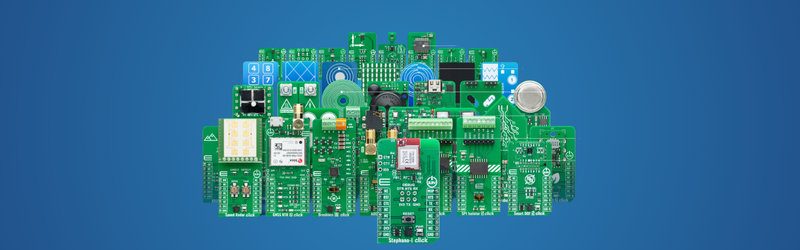
You choose from over 1800 Click boards™, filtering by function, category, or protocol.
-
You add a display if needed.
From there, NECTO creates a tailored AI prompt for its built-in Code Assistant. With one click, you get working, ready-to-run code. Copy. Paste. Build. Run. That’s the cycle—no hunting for boilerplate, no debugging pin configurations at 2 a.m.
Smarter Hardware Management
Alongside this, MIKROE has redesigned the Custom Board Tool, now part of the Productivity Hub. Developers can visually assign mikroBUS™ pins, save custom boards across projects, and even publish them for team collaboration. For design teams working across multiple prototypes, that’s a big deal.
Editorial Take: More Than Just an IDE
What MIKROE is really doing here is setting a new bar for what an IDE should be. It’s not just about coding anymore—it’s about integrating AI, automation, and standards so developers can move faster with fewer mistakes. With NECTO Studio 7.3, embedded engineers aren’t just writing firmware—they’re building ecosystems.
For a company already known for concepts like One New Product a Day and the Embedded Wiki™ with over a million ready-to-use projects, this feels like the natural next step. Dual-core debugging isn’t just a feature; it’s a signal that embedded IDEs need to evolve, and MIKROE intends to lead that charge.