
Cables are one of the most overlooked yet critical components in electronic systems. Whether you’re designing a consumer device, building industrial equipment, or prototyping a PCB assembly, the type of cable you choose directly impacts signal integrity, power delivery, durability, and overall system reliability.
From simple hookup wires to high-speed differential pairs, each cable type is engineered for a specific purpose. Understanding these differences helps engineers make better design decisions and avoid costly performance issues.
1. Coaxial Cables
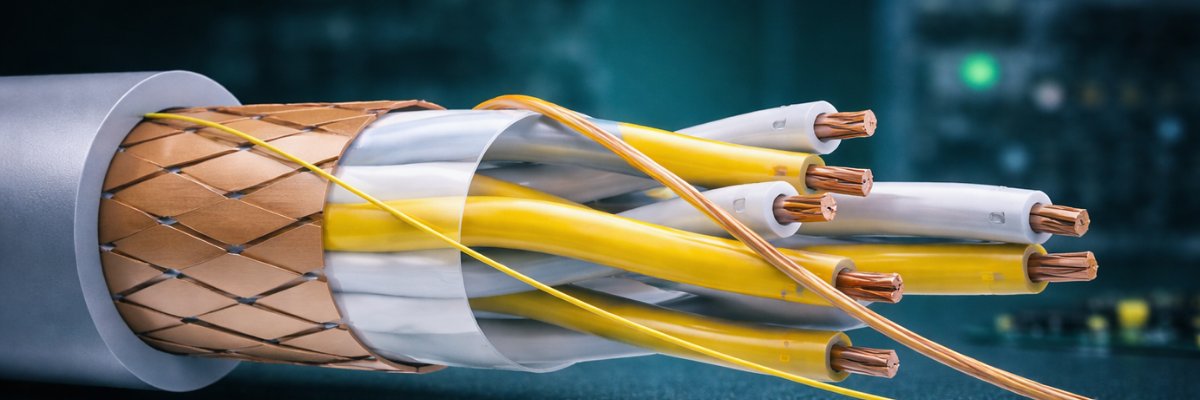
Coaxial cables are designed for high-frequency signal transmission with minimal interference. They consist of a central conductor, insulating layer, metallic shield, and outer jacket.
Key Characteristics:
- Excellent shielding against electromagnetic interference (EMI)
- Controlled impedance (typically 50Ω or 75Ω)
- Suitable for RF and high-frequency applications
Common Uses:
- RF systems
- Antennas
- Test equipment
- Video transmission
Coaxial cables maintain signal integrity over longer distances compared to unshielded cables, making them essential in communication and measurement systems.
2. Twisted Pair Cables
Twisted pair cables consist of two insulated conductors twisted together. The twisting helps cancel out electromagnetic interference and crosstalk.
Types:
- Unshielded Twisted Pair (UTP)
- Shielded Twisted Pair (STP)
Key Characteristics:
- Cost-effective
- Good noise rejection
- Common impedance-controlled pairs
Common Uses:
- Ethernet (Cat5e, Cat6, Cat6a)
- Data communication
- Industrial control systems
Twisted pair is the backbone of modern networking. The differential signaling helps reduce noise without requiring heavy shielding.
3. Ribbon Cables
Ribbon cables consist of multiple parallel conductors arranged in a flat strip.
Key Characteristics:
- Compact and organized
- Easy mass termination with IDC connectors
- Ideal for short-distance internal connections
Common Uses:
- Internal computer connections
- Embedded systems
- Prototyping setups
They simplify wiring in tight spaces and make debugging and assembly easier in multi-wire systems.
4. Shielded Cables
Shielded cables include a conductive layer (foil or braided shield) that protects signals from external interference.
Key Characteristics:
- Reduces EMI and RFI
- Improves signal reliability
- Available in multiple configurations (single, multi-core, twisted pair)
Common Uses:
- Industrial environments
- Medical devices
- Audio systems
- High-speed data lines
In electrically noisy environments, shielding can be the difference between a stable system and intermittent failures.
5. Fiber Optic Cables
Fiber optic cables transmit data using light instead of electrical signals.
Key Characteristics:
- Extremely high bandwidth
- Immune to electromagnetic interference
- Low signal loss over long distances
Types:
- Single-mode fiber
- Multi-mode fiber
Common Uses:
- Telecommunications
- Data centers
- High-speed networking
Fiber is essential when electrical cables hit their limits, especially in high-speed or long-distance communication systems.
6. Power Cables
Power cables are designed to carry electrical current rather than signals.
Key Characteristics:
- Thicker conductors for higher current
- Insulation rated for voltage and temperature
- Often multi-core
Common Uses:
- Power supplies
- Industrial equipment
- Consumer electronics
Incorrect cable sizing can lead to voltage drops, overheating, or failure. Power cables must be selected based on current load and environmental conditions.
7. Flexible and High-Flex Cables
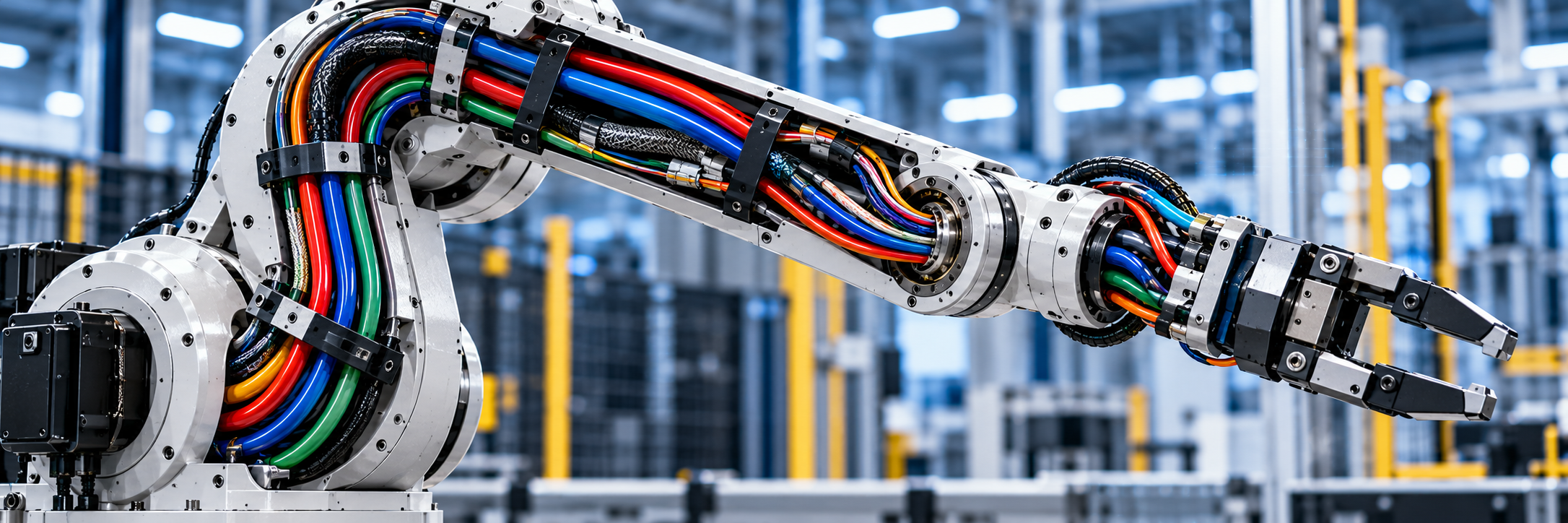
These cables are designed to withstand repeated bending and motion.
Key Characteristics:
- Stranded conductors
- Specialized insulation
- High durability in dynamic environments
Common Uses:
- Robotics
- CNC machines
- Moving assemblies
Standard cables fail quickly under constant motion. High-flex cables extend lifespan and reduce maintenance in automated systems.
8. Flat Flexible Cables (FFC) and Flat Printed Cables (FPC)
FFC and FPC cables are thin, flexible cables used in compact electronic devices.
Key Characteristics:
- Extremely low profile
- Lightweight
- High-density connections
Common Uses:
- Laptops
- Cameras
- Displays
- Consumer electronics
These cables enable modern compact designs where space is limited and traditional wiring is impractical.
9. USB and Standard Interface Cables
Universal interface cables are standardized for both power and data transfer.
Examples:
- USB (Type-A, Type-C)
- HDMI
- DisplayPort
Key Characteristics:
- Defined protocols and pinouts
- Integrated shielding and signaling standards
- Plug-and-play compatibility
Common Uses:
- Consumer electronics
- Embedded systems
- Development boards
These cables simplify interoperability between devices and reduce design complexity.
Choosing the Right Cable
Selecting the correct cable depends on several factors:
- Signal type: Analog, digital, RF, or power
- Frequency or data rate: Higher speeds require better shielding and impedance control
- Environment: EMI exposure, temperature, mechanical stress
- Distance: Signal attenuation and loss increase with length
- Flexibility requirements: Static vs. dynamic applications
There is no one-size-fits-all solution. A cable that works perfectly in a lab environment may fail in an industrial setting.
Cables are more than just connectors between components—they are integral to system performance. As data rates increase and devices become more compact, proper cable selection becomes even more critical.
From coaxial cables handling RF signals to fiber optics enabling high-speed communication, each type serves a specific role in modern electronics. Understanding these differences allows engineers to design systems that are not only functional, but robust and scalable.